Tutorials
Fullscreen Apps
Build fullscreen terminal applications with alternate screen buffer.
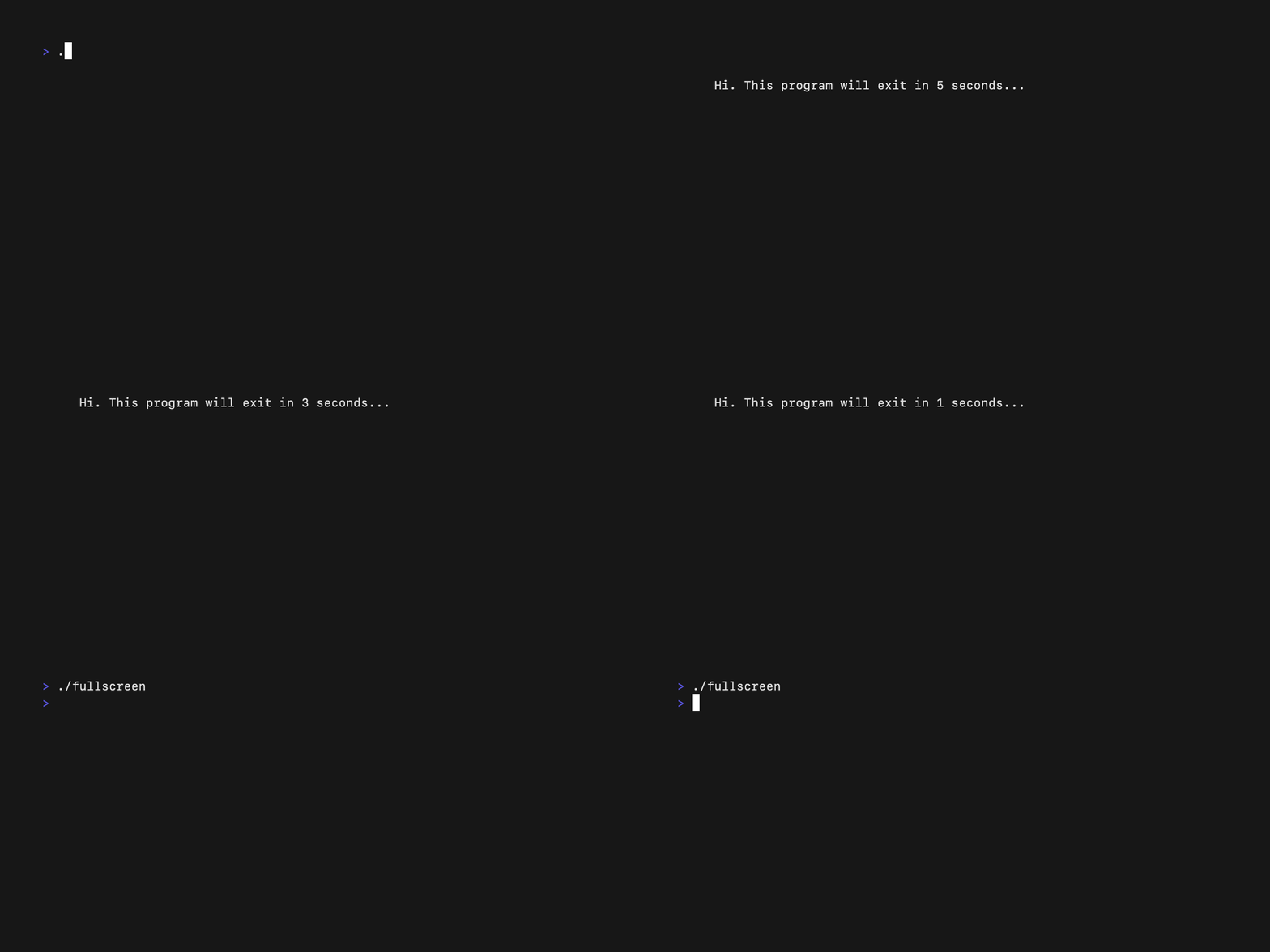
Take over the entire terminal with fullscreen apps!
The Code
package main

import (
    "fmt"
    tea "github.com/charmbracelet/bubbletea/v2"
)

type model struct {
    width  int
    height int
}

func (m model) Init() tea.Cmd {
    return nil
}

func (m model) Update(msg tea.Msg) (tea.Model, tea.Cmd) {
    switch msg := msg.(type) {
    case tea.KeyPressMsg:
        if msg.String() == "q" {
            return m, tea.Quit
        }
    case tea.WindowSizeMsg:
        m.width = msg.Width
        m.height = msg.Height
    }
    return m, nil
}

func (m model) View() string {
    return fmt.Sprintf("Window size: %dx%d\n\nPress q to quit", m.width, m.height)
}

func main() {
    p := tea.NewProgram(model{}, tea.WithAltScreen())
    p.Run()
}
Key: tea.WithAltScreen()
tea.NewProgram(model{}, tea.WithAltScreen())
This switches to the alternate screen buffer, giving you a clean canvas!